Services
React Native app development
We build React Native apps for iOS and Android from one TypeScript codebase, usually with Expo. Two of our own apps are built this way, and React Native shares a language with the React web apps and Node.js backends we build.
What is included
One TypeScript codebase
One project builds the iOS app and the Android app. With a Node.js backend, the app and the server can share types and validation rules.
Expo
Expo handles builds, store submission and over-the-air updates. Both of our own React Native apps are built with it.
Offline storage
Data kept on the phone with SQLite, so the app is useful without a signal. Lead Diary, our lead tracker, works offline and needs no account.
More than one language
Translations and right-to-left layouts. Zakat Calculator runs in English and Urdu, and the language can be switched at any time.
The backend and the web app
The API, the database and the admin panel from the same team, plus a React web app when the product needs one.
Store release
App Store and Google Play releases from the one codebase: listings, screenshots, test builds and review, under developer accounts in your name.
- React Native
- Expo
- TypeScript
- Node.js
- Firebase
- SQLite
- TanStack Query
- Zustand
Who it is for
Founders who need a web app as well
A React web app and a React Native app share a language, most of their libraries and often the code that talks to the API.
Teams that already write JavaScript
A developer who has built React websites can be productive in React Native quickly, which matters when you hire your first engineer.
Founders who want the app to feel native
React Native renders the phone's own components, so text fields, switches and scrolling behave the way each platform's users expect.
- A fixed price, agreed after week 1
- You own the code, designs and accounts
- A preview link every week
- 30 days of fixes after launch
How the 8–12 weeks break down
The full process- Week 1
Blueprint
Feature list, screen map and a check that React Native fits: is a web app part of the plan, which integrations are needed, and who maintains the app after launch. You get the reasoning in the plan and a fixed quote.
- Weeks 2–3
Design
Every screen designed at phone size around the phone's own components, then linked into a prototype you can tap through.
- Weeks 4–11
Build
The app, the API and the admin panel are built together in TypeScript. If there is a React web app, it is built alongside and can share code with the mobile app. A fresh preview every Friday.
- Weeks 8–12
Launch
Custom details are checked on real iOS and Android devices, then the app goes through the testing tracks and store review. Then 30 days of fixes.
Is React Native the right choice for your app?
Pick React Native when
Your team writes JavaScript, or the product needs a website or a web admin panel as well as the app.
Pick Flutter when
You want one custom design that is identical on every phone and there is no web code to share. DocRadar is our Flutter example.
Go native when
The app runs on one platform and depends on its features. Our storage cleaner, Headroom, is Kotlin because it scans files on the device.
Do not choose on speed
For lists, forms, maps, chat and payments, users will not notice the framework. A slow API or images that were never resized matter far more.
What you have at the end
- The app live in the App Store and Google Play, under developer accounts in your name
- One TypeScript codebase for both platforms, which is yours
- The backend the app talks to, on a hosting account in your name
- The design files and both store listings
- Analytics and error tracking switched on, and 30 days of fixes after launch
Work like this we have built
All projects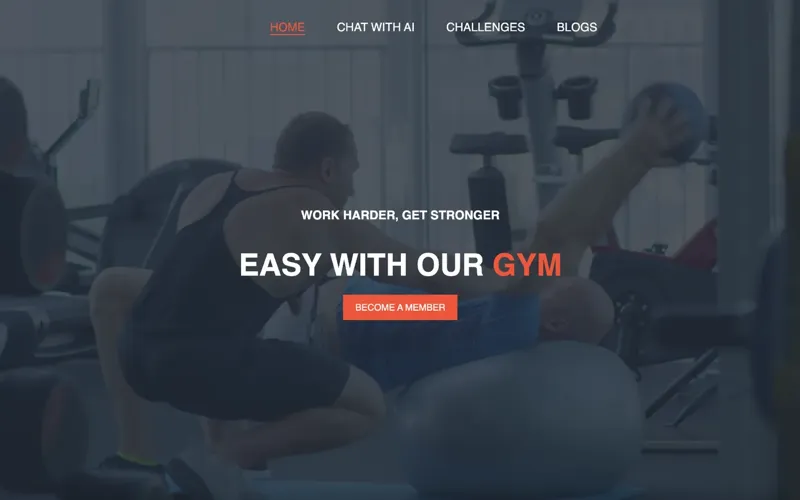
Mobile app · Fitness
VitalSync
A fitness tracker with dashboards, challenges and an AI chatbot for workout and diet guidance.
- React Native
- Node.js
- AWS
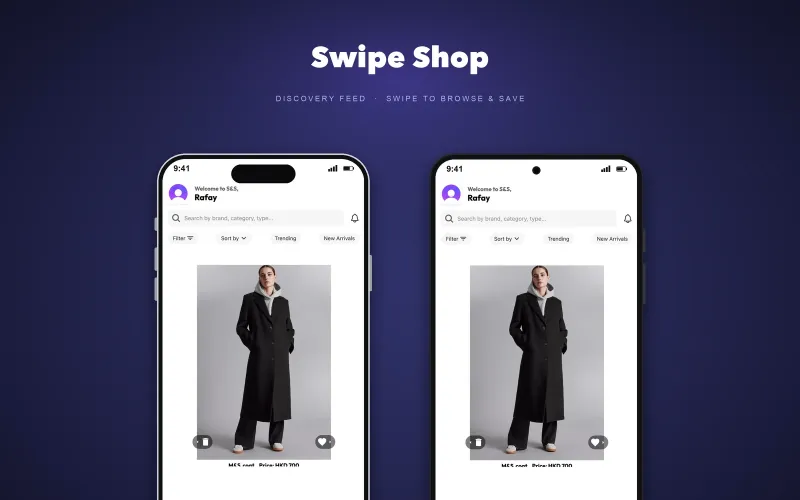
Mobile app · E-commerce
Swipe & Shop
A swipe-to-shop app: like, skip or add to cart, with a personalised product feed.
- React Native
- Firebase
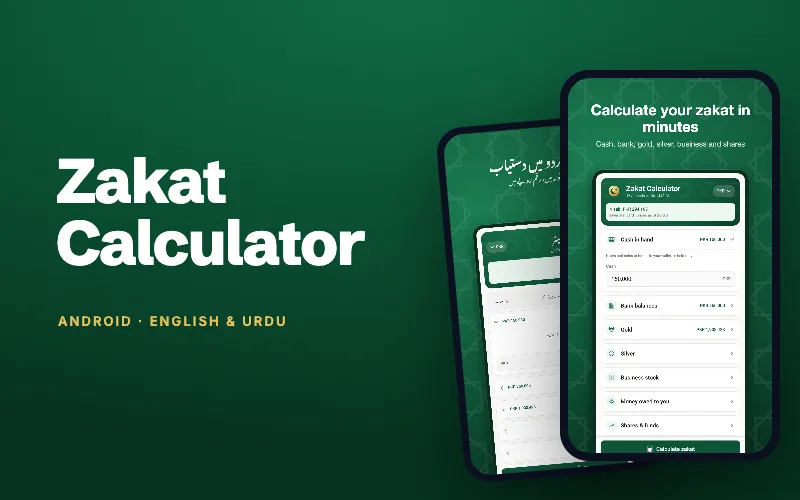
Mobile app · Android · Finance
Zakat Calculator
Works out zakat on cash, gold, silver, business stock and shares, with live nisab prices in 20 currencies. English and Urdu.
- React Native
- Expo
- TypeScript
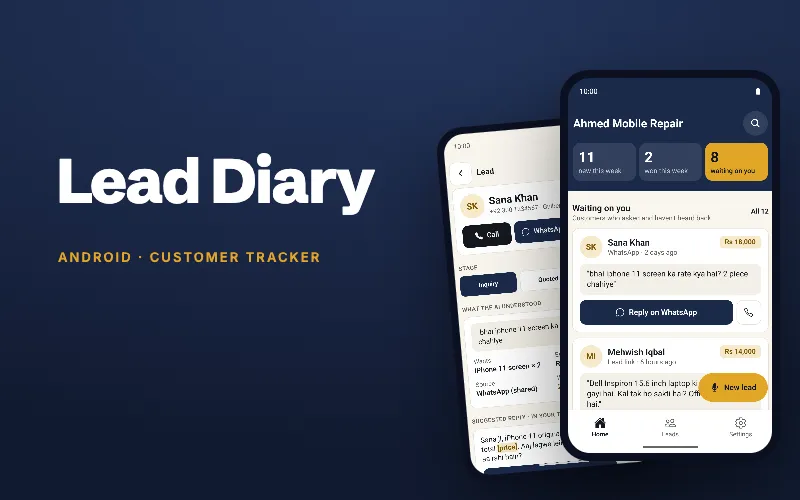
Mobile app · Android · Small business
Lead Diary
A pocket lead tracker for small shops: captures enquiries from chats, calls and the counter, and shows who is still waiting for a reply.
- React Native
- Expo
- SQLite
- Cloudflare
Questions founders ask
Is React Native good for a startup app?
Yes. One codebase covers iOS and Android, which saves a large part of the build, and it uses JavaScript or TypeScript, the language of the web. That makes it a natural fit when a web app or a Node.js backend is part of the product.
React Native or Flutter: which should I choose?
Pick React Native when your team writes JavaScript or a React web app is part of the plan, because the app and the website then share a language. For one custom-designed app with no web code, Flutter is a strong choice. Both are good enough for a first version.
Does a React Native app feel like a native app?
Yes. React Native renders the platform's own components, so text fields, switches and scrolling feel native because they are. Custom designs are possible too, though some details differ between iOS and Android and need checking on both.
Can a React Native app share code with my web app?
Yes, when the web app is built with React. The two share a language, most libraries and often the code that talks to the API. VitalSync uses React on the web and React Native on the phone, both on a Node.js backend.
Can a React Native app work offline?
Yes. Lead Diary keeps its data in SQLite on the phone and works offline with no account. Zakat Calculator keeps the last gold and silver prices for offline use.
How long does it take to build a React Native app?
Most first versions take eight to twelve weeks, from the blueprint in week 1 to launch. An app that needs its own backend usually takes the full eight weeks of building.
How much does a React Native app cost?
Projects start from $1,000. The exact price depends on the screens, the integrations and whether a web app is part of the build. After the blueprint week you get a fixed quote, agreed before design starts.
Which React Native apps have you built?
VitalSync, a fitness tracker with an AI chatbot. Swipe & Shop, a swipe-to-shop app on Firebase. And two of our own, Zakat Calculator and Lead Diary, built with Expo and in closed testing on Google Play.
Related guides
All guides- Guide · 6 min readReact Native vs Flutter: which should your startup pick?React Native vs Flutter for a startup's first app: hiring, performance, UI, packages, web reuse and when to go native, with real projects built on each.
- Guide · 6 min readWeb app or mobile app first: how founders decideWeb app or mobile app first? How to decide from where your users are, what the phone must do, how people find you, and when a PWA is enough to start.
- Guide · 11 min readApp store launch checklist: Apple and Google PlayAn app store launch checklist for Apple and Google Play: accounts, listing assets, privacy forms, review times and update release dates, with a PDF to print.
- Guide · 7 min readHow long does it take to build an MVP? A weekly planHow long does it take to build an MVP? Usually 8–12 weeks. See the week-by-week plan, what fits in 4, 6 or 8 weeks, and what makes a build slower or faster.